MPC Plugins Manager: new releaseshttps://mpcplugins.github.io/feed.xml2026-11-24T20:08:17ZMPC Plugins Managerremix16 1.0.0tag:mpcplugins.github.io,2026:remix16@1.0.02026-11-24T20:03:31ZThe Disk King**remix16 by The Disk King: Inspired by the AMS RMX16 digital reverb (1982).**
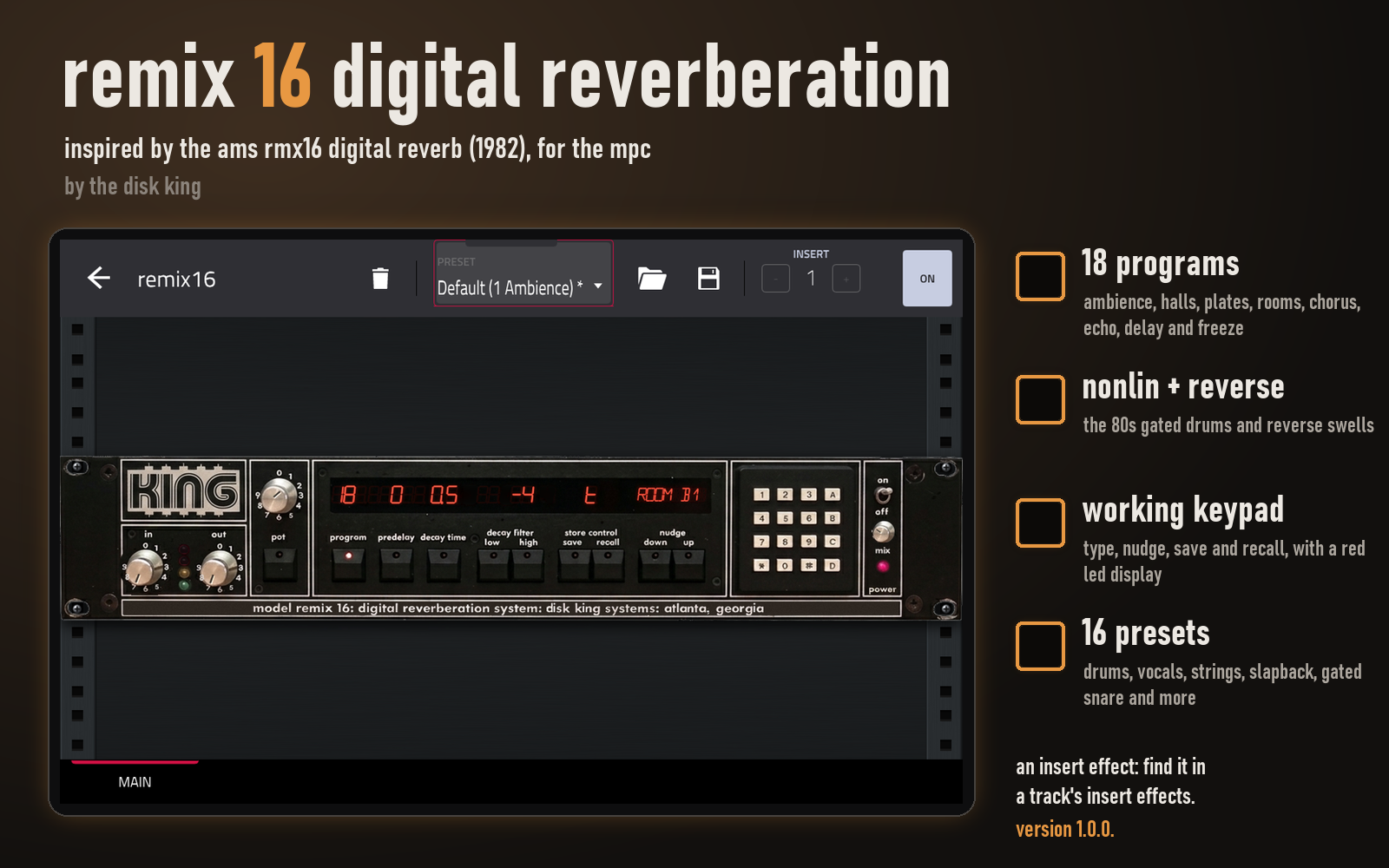
- **18 programs:** AMBIENCE, ROOM A1, HALL C1, PLATE A1, HALL B3, CHORUS, ECHO, NONLIN 2, REVERSE 1, DELAY, FREEZE, HALL A1, NONLIN 1, IMAGE P1, PLATE B1, REVERSE 2, ROOM A0 and ROOM B1.
- **The famous NONLIN gated drums**, **REVERSE** swells, and the **AMBIENCE** freeze (decay 9.9 never dies).
- **A front panel that really works:** a keypad, NUDGE up / down, 9 SAVE / RECALL stores kept in your MPC project, thOxZygen 0.8.0tag:mpcplugins.github.io,2026:oxzygen@0.8.02026-11-24T18:41:07Z3dthc# OxZygen v0.8.0
## What's new
- **New Player page: the chamber.** The main page is now a metal chamber: the eight knobs sit on two wall panels, and the vents on the back wall glow with the sound (brighter as you play louder, fading out when you stop). Replaces the orb.
- **New knobs on every page:** brushed aluminium with a black cap and a white pointer, on Player, Sound and FX; the values sit as plain text under each knob, without the boxes (near-black and a little bigger on Aluminum, so they read from a distance).
- **Cleaner displays:** the dark screens (preset strip, Browse lists, tKing EX90 1.0.0tag:mpcplugins.github.io,2026:king-ex90@1.0.02026-11-24T14:24:08ZThe Disk King**King EX90 by The Disk King: Inspired by the Akai EX90R digital reverb (1988).**
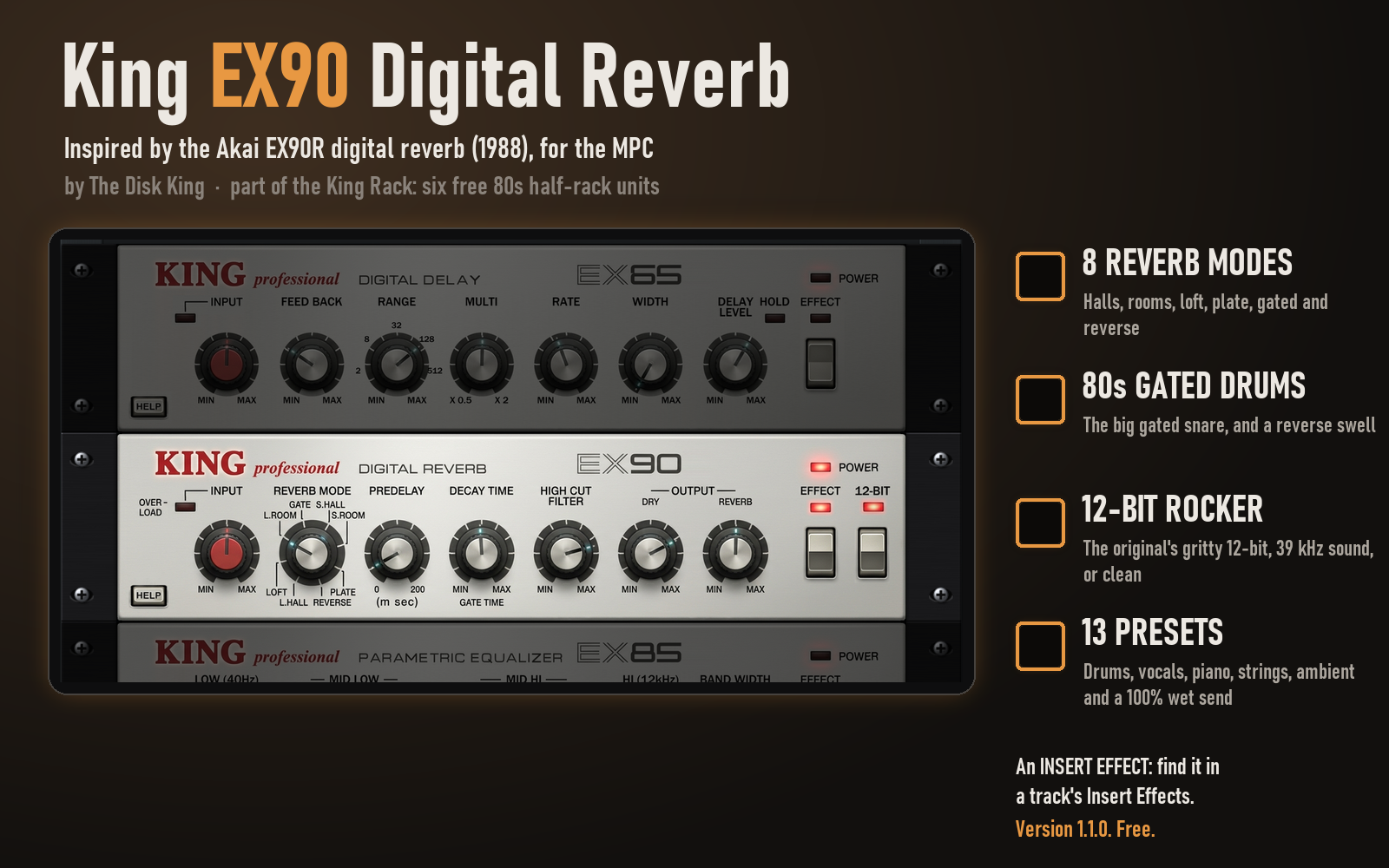
- **Eight reverb modes:** L.HALL, LOFT, L.ROOM, GATE, S.HALL, S.ROOM, PLATE and REVERSE, on a click-stop dial like the original.
- **The 80s gated drum sound** and a **reverse swell** (GATE TIME 80 ms to 1.5 s).
- **PREDELAY** 0 to 200 ms, **DECAY** 0.3 to 15 s, a steep 24 dB/octave **HIGH CUT** (1 to 16 kHz), separate **DRY** and **REVERB** levels.
- **EFFECT rocker:** switch it out and the tail ringMaze Sequencer 2.0.1tag:mpcplugins.github.io,2026:maze-sequencer@2.0.12026-11-24T12:07:23Zsd88meDual 8-step generative sequencer (Moog Labyrinth style) with corrupt, scale quantising, two LFOs and per-line MIDI channels, driving other tracks over MIDI.
## Requirements
- A first-generation MPC OS standalone device (32-bit ARM, like the Force, MPC Live / Live II, One, X and Key 61).
The installer refuses anything else. Newer models are untested.
- **Root shell access** (SSH) to the device, for the scripted install below. Stock MPC OS doesn't offer this; you need a
modded unit. On MPC OS 3.10.1 and later you can skip it entirely: copy the plugin folder into `VST2 Plugins` (next sectioMaze Voice 2.0.1tag:mpcplugins.github.io,2026:maze-voice@2.0.12026-11-24T12:07:20Zsd88meMonophonic Moog Labyrinth-style thru-zero oscillator / wavefolder / state-variable filter voice, with two LFOs and a page randomiser.
## Requirements
- A first-generation MPC OS standalone device (32-bit ARM, like the Force, MPC Live / Live II, One, X and Key 61).
The installer refuses anything else. Newer models are untested.
- **Root shell access** (SSH) to the device, for the scripted install below. Stock MPC OS doesn't offer this; you need a
modded unit. On MPC OS 3.10.1 and later you can skip it entirely: copy the plugin folder into `VST2 Plugins` (next section).
- Installing pluginCrate Digger 2.2.1tag:mpcplugins.github.io,2026:crate-digger@2.2.12026-11-24T12:07:17Zsd88me# Crate Digger 2.2.1
Licence change only; no change to how the plugin works.
- Crate Digger is now free software under the **GNU General Public License, version 3 or later** (it was MIT before 2026-11-24). The old MIT text is kept in `LICENSE-MIT`.
- The streaming core stays MIT: it is the [schwung-webstream](https://github.com/charlesvestal/schwung-webstream) core by Charles Vestal, with its licence in `UPSTREAM_LICENSE.txt` and `UPSTREAM_THIRD_PARTY_NOTICES.md`.
- Credit for PotentialBreakfast's channel source is unchanged in the README.
- The stale pre-2.x release workflow (`vst-release.yMPC Skipback 0.6.4tag:mpcplugins.github.io,2026:mpc-skipback@0.6.42026-11-24T12:07:14Zsd88meRecords the main output all the time and saves the last 30 to 60 seconds as a WAV when you double-press a hardware button.
## Requirements
- A Gen2 MPC OS standalone device (aarch64: Live III, One G2, Key(s) G2). The installer refuses anything else.
- **Root shell access** (SSH) to the device. Stock MPC OS doesn't offer this; you need a modded unit.
- Installing addins this way is unofficial: back up first, use at your own risk.
## Install
1. Unzip, then copy the whole folder to the device, e.g. `scp -r MPC-Skipback-0.6.4 root@<device-ip>:/tmp/`
2. Run it: `ssh root@<device-ip> sh /tmp/MPCLucky Dip 1.0.1tag:mpcplugins.github.io,2026:lucky-dip@1.0.12026-11-24T12:07:11Zsd88meA random 16-pad drum-kit builder: dips into your sample library, fills the pads at random and exports the kit as an MPC drum program.
## Requirements
- A first-generation MPC OS standalone device (32-bit ARM, like the Force, MPC Live / Live II, One, X and Key 61).
The installer refuses anything else. Newer models are untested.
- **Root shell access** (SSH) to the device, for the scripted install below. Stock MPC OS doesn't offer this; you need a
modded unit. On MPC OS 3.10.1 and later you can skip it entirely: copy the plugin folder into `VST2 Plugins` (next section).
- Installing pluginMorpho PE 1.0.3tag:mpcplugins.github.io,2026:morpho-pe@1.0.32026-11-24T12:07:08Zsd88meFour-voice synthesizer modelled on the Poly Evolver's voice, with a 4 x 16 step sequencer, a bank browser and a touchscreen skin.
## Requirements
- A first-generation MPC OS standalone device (32-bit ARM, like the Force, MPC Live / Live II, One, X and Key 61).
The installer refuses anything else. Newer models are untested.
- **Root shell access** (SSH) to the device, for the scripted install below. Stock MPC OS doesn't offer this; you need a
modded unit. On MPC OS 3.10.1 and later you can skip it entirely: copy the plugin folder into `VST2 Plugins` (next section).
- Installing plugins thSturm TP 0.1.3tag:mpcplugins.github.io,2026:sturm-tp@0.1.32026-11-24T12:07:05Zsd88meSix-voice analog-style drum and synth voice modelled on the Tempest drum machine, with kit mode, distortion and a touchscreen skin.
## Requirements
- A first-generation MPC OS standalone device (32-bit ARM, like the Force, MPC Live / Live II, One, X and Key 61).
The installer refuses anything else. Newer models are untested.
- **Root shell access** (SSH) to the device, for the scripted install below. Stock MPC OS doesn't offer this; you need a
modded unit. On MPC OS 3.10.1 and later you can skip it entirely: copy the plugin folder into `VST2 Plugins` (next section).
- Installing plugins Profit 08 2.0.3tag:mpcplugins.github.io,2026:profit-08@2.0.32026-11-24T12:07:02Zsd88meEight-voice, two-layer analog-style synthesizer with a gated sequencer and arpeggiator, a resonant filter and a banks browser for your own SysEx dumps.
## Requirements
- A first-generation MPC OS standalone device (32-bit ARM, like the Force, MPC Live / Live II, One, X and Key 61).
The installer refuses anything else. Newer models are untested.
- **Root shell access** (SSH) to the device, for the scripted install below. Stock MPC OS doesn't offer this; you need a
modded unit. On MPC OS 3.10.1 and later you can skip it entirely: copy the plugin folder into `VST2 Plugins` (next section).
-Profit 5 3.0.2tag:mpcplugins.github.io,2026:profit-5@3.0.22026-11-24T12:07:00Zsd88meRelicensed from MIT to GPL-3.0-or-later (the old MIT text stays in LICENSE-MIT; the TinyPro5 MIT notices stay in the import code). No functional change from 3.0.1. Gen1 (armv7) and Gen2 (aarch64) zips.piClideaN 1.4.1tag:mpcplugins.github.io,2026:piclidean@1.4.12026-11-24T10:52:42Ztimomacquis# πClideaN 1.4.1
- **Factory bank = INIT + the 150 Patternarium kits of πToniC**, in the same order and with the same names, so program N of πClideaN plays the pattern of kit N of πToniC (lines 1–8 use notes 36–43, the eight πToniC voices). Each program is INIT plus the kit's A+B pattern on lines 1–8 (steps, accents at 127, step rate, mutes); lines 9–16 stay as in INIT. A+B length is A plus B, as in MicroTonic: 127 kits at 32 steps, 20 at 24, 2 at 16, 1 at 10. INIT remains the default program. The six previous programs (Straight Four … Step Expression) are removed from the menu; saved projectpiToniC 1.1.2tag:mpcplugins.github.io,2026:pitonic@1.1.22026-11-24T10:39:44Ztimomacquis# πToniC 1.1.2
- **MicroTonic kit import**: new **IMPORT KIT** button at the bottom left of the MIXER page. It opens the file browser on `.mtpreset` files (MicroTonicPresetV3). The eight sounds replace banks A and B of the eight voices; all voices switch to SYNTH, bank A, no mute or solo; REVERB / DELAY sends are set to 0. Effect settings and loaded samples are kept. Patterns, tempo and swing are ignored: the MPC sequences the kit. A status line reports the result or why a file was refused (a refused file changes nothing).
- **Ranges aligned with MicroTonic** wherever the engine can follow: AFrodhes 0.9.14tag:mpcplugins.github.io,2026:frodhes@0.9.142026-11-24T07:19:10ZleonardoMirabal**Frodhes 0.9.14** adds WHURLI, a reed electric piano that growls when you strike hard, with four presets; the TYPE controller (CC 80) now reaches all five electric pianos; EARLY FELT and BELL DYNO are evened out across the keyboard; and the desktop plugin gets a drive of its own, WARM.
**Download:** `frodhes.fwsc` below (the same file as `frodhes-0.9.14.fwsc`; the newest is always at https://github.com/leonardoMirabal/frodhes/releases/latest/download/frodhes.fwsc). **Try it first in your browser:** https://leonardomirabal.github.io/frodhes/
### Install
**FM-1**: download `frodhes.fwsc` belDiskking 670 Compressor 1.0.2tag:mpcplugins.github.io,2026:diskking-670-compressor@1.0.22026-11-24T06:01:59ZThe Disk King**Presets move the panel, a blank Default, and two art fixes.**
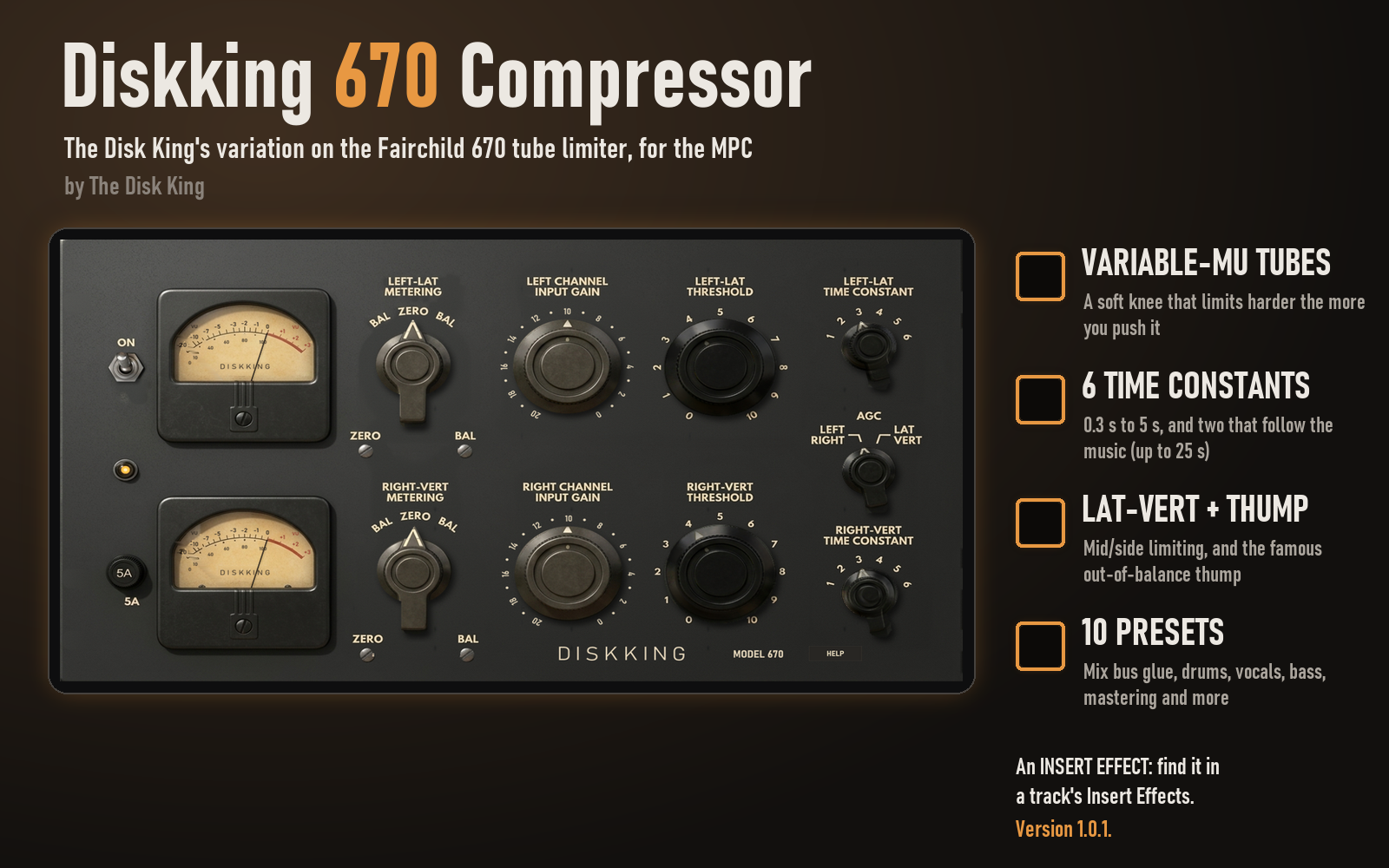
- **Presets move the panel:** pick a preset and the knobs, switches and buttons on the panel go to its settings.
- **Starts on Default:** a new "Default" preset (nothing set) is first, and the plugin loads on it until you pick a preset.
- **LEFT-LAT THRESHOLD has its arrow** on the outer ring, like RIGHT-VERT, turning with the knob.
- **A white speck** on the screw under RIGHT-dkx 160 Compressor 1.0.1tag:mpcplugins.github.io,2026:dkx-160-compressor@1.0.12026-11-24T06:01:50ZThe Disk King**Presets move the panel, and a blank Default.**
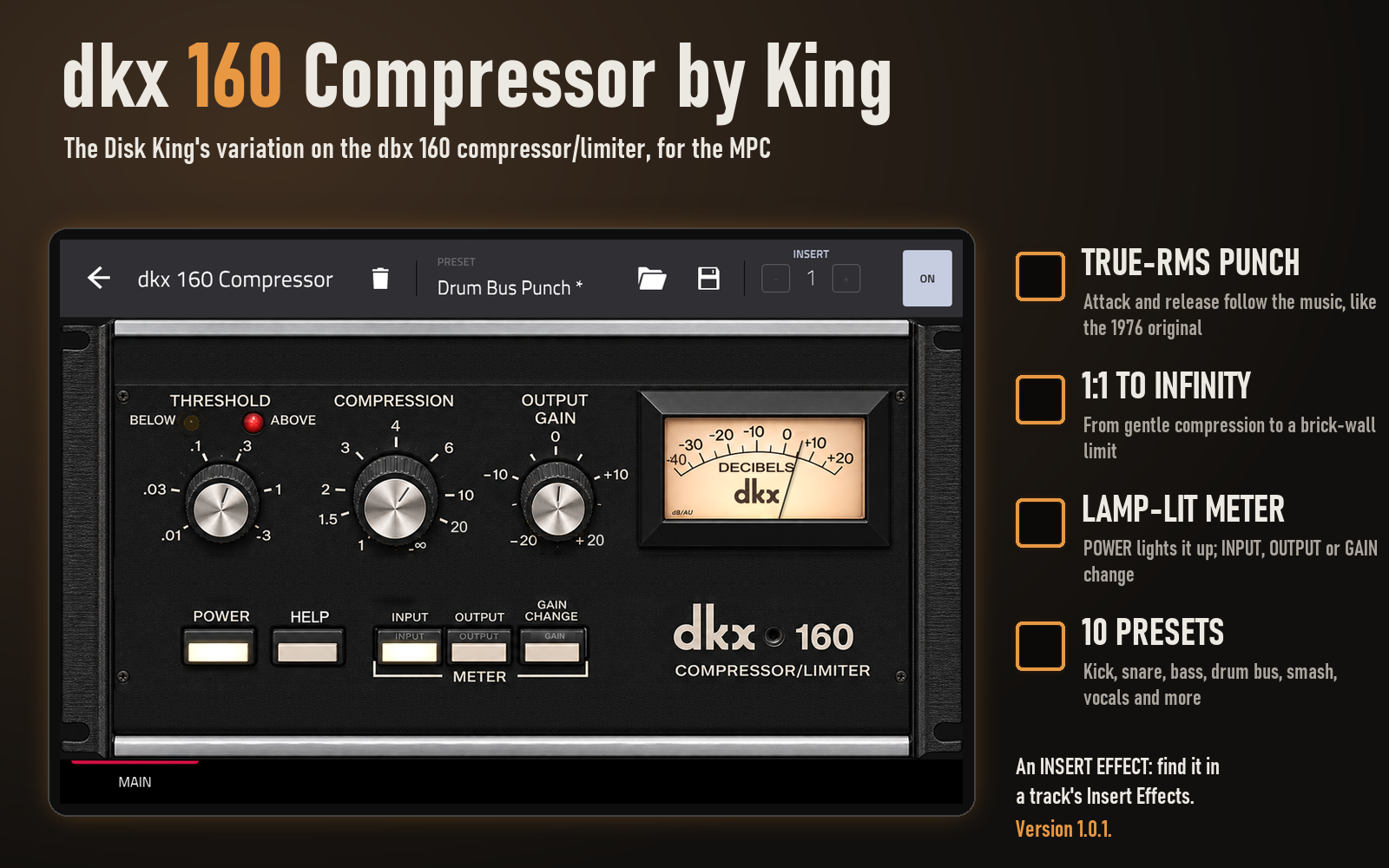
- **Presets move the panel:** pick a preset and the knobs, switches and buttons on the panel go to its settings (OUTPUT, THRESHOLD and COMPRESSION knobs, POWER and the meter switch).
- **Starts on Default:** a new "Default" preset (nothing set) is first, and the plugin loads on it until you pick a preset.
- Everything else as in 1.0.0. Your projects still open.
**It is an EFFECT: find it in Insert Effects*Warm Front Compressor 1.0.1tag:mpcplugins.github.io,2026:warm-front-compressor@1.0.12026-11-24T06:01:48ZThe Disk King**Presets move the panel, a blank Default, and DISKKING on the meters.**
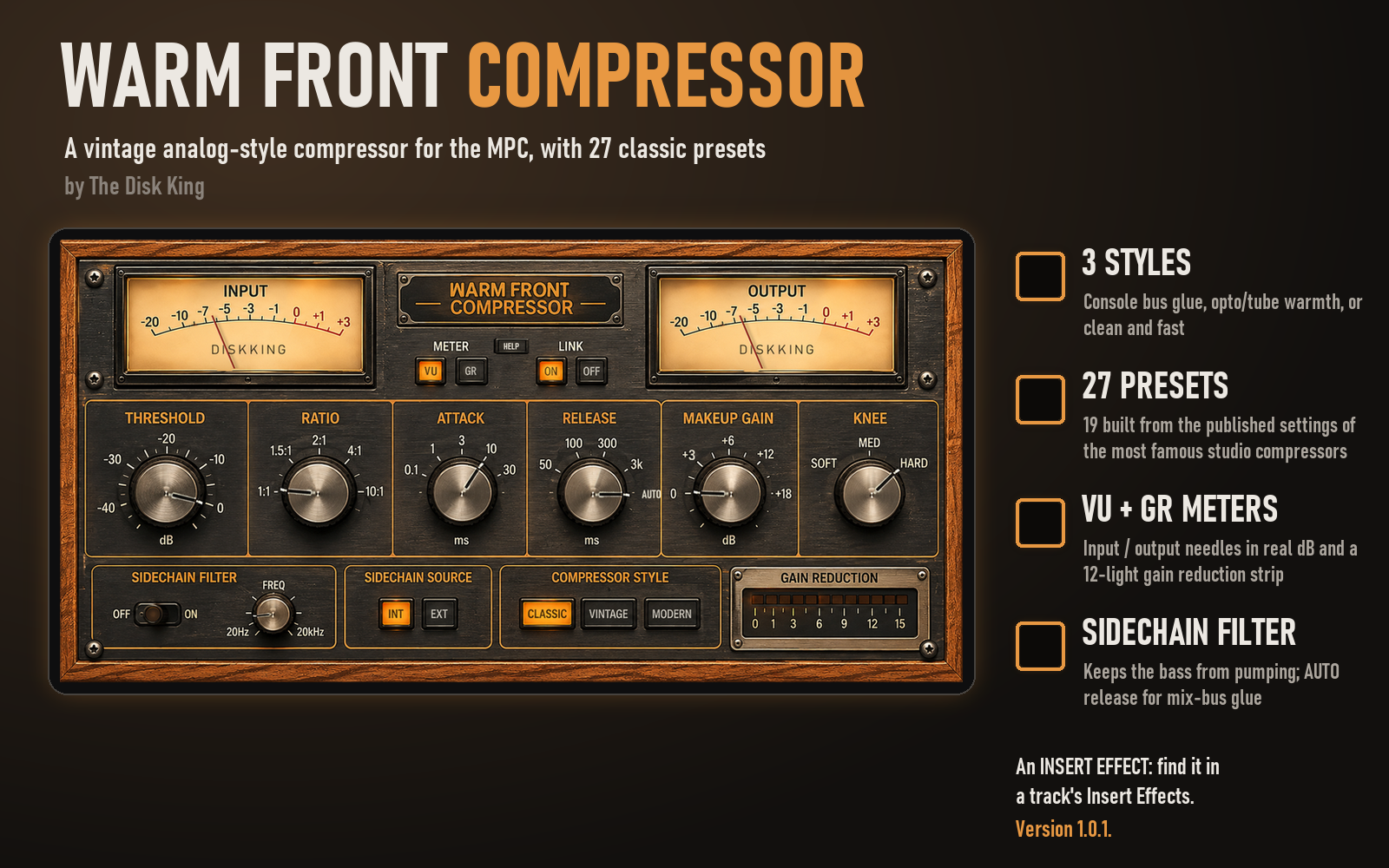
- **Presets move the panel:** pick a preset and the knobs, switches and buttons on the panel go to its settings.
- **Starts on Default:** a new "Default" preset (nothing set) is first, and the plugin loads on it until you pick a preset.
- **DISKKING on the meters:** the meter faces now carry The Disk King's DISKKING brand, in the Diskking 670 meter's lettering. INPUT and OUTReel to Real 1.1.1tag:mpcplugins.github.io,2026:reel-to-real@1.1.12026-11-24T06:01:39ZThe Disk King**Presets move the panel, a blank Default, and DISKKING on the meters.**
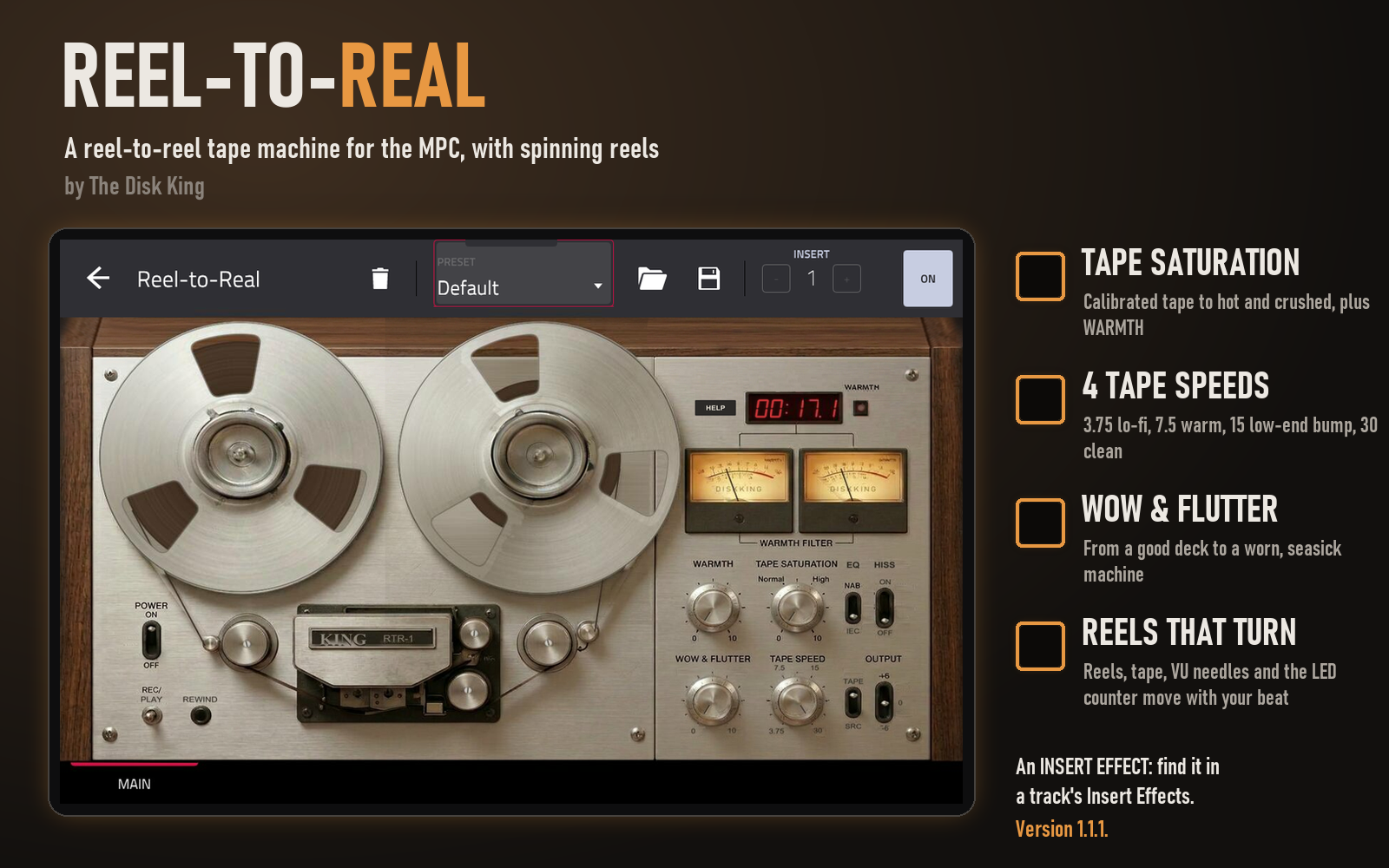
- **Presets move the panel:** pick a preset and the knobs, switches and buttons on the panel go to its settings.
- **Starts on Default:** a new "Default" preset (nothing set) is first, and the plugin loads on it until you pick a preset.
- **DISKKING on the meters:** the meter faces now carry The Disk King's DISKKING brand, in the Diskking 670 meter's lettering.
- Everything else as in 1.1.0. Your projAshy to Classy 2.0.0tag:mpcplugins.github.io,2026:ashy-to-classy@2.0.02026-11-24T06:01:38ZThe Disk King**Ten new keys, each with its own mixer: eight filters and a real analog TAPE. New INPUT / OUTPUT meters with DISKKING.**
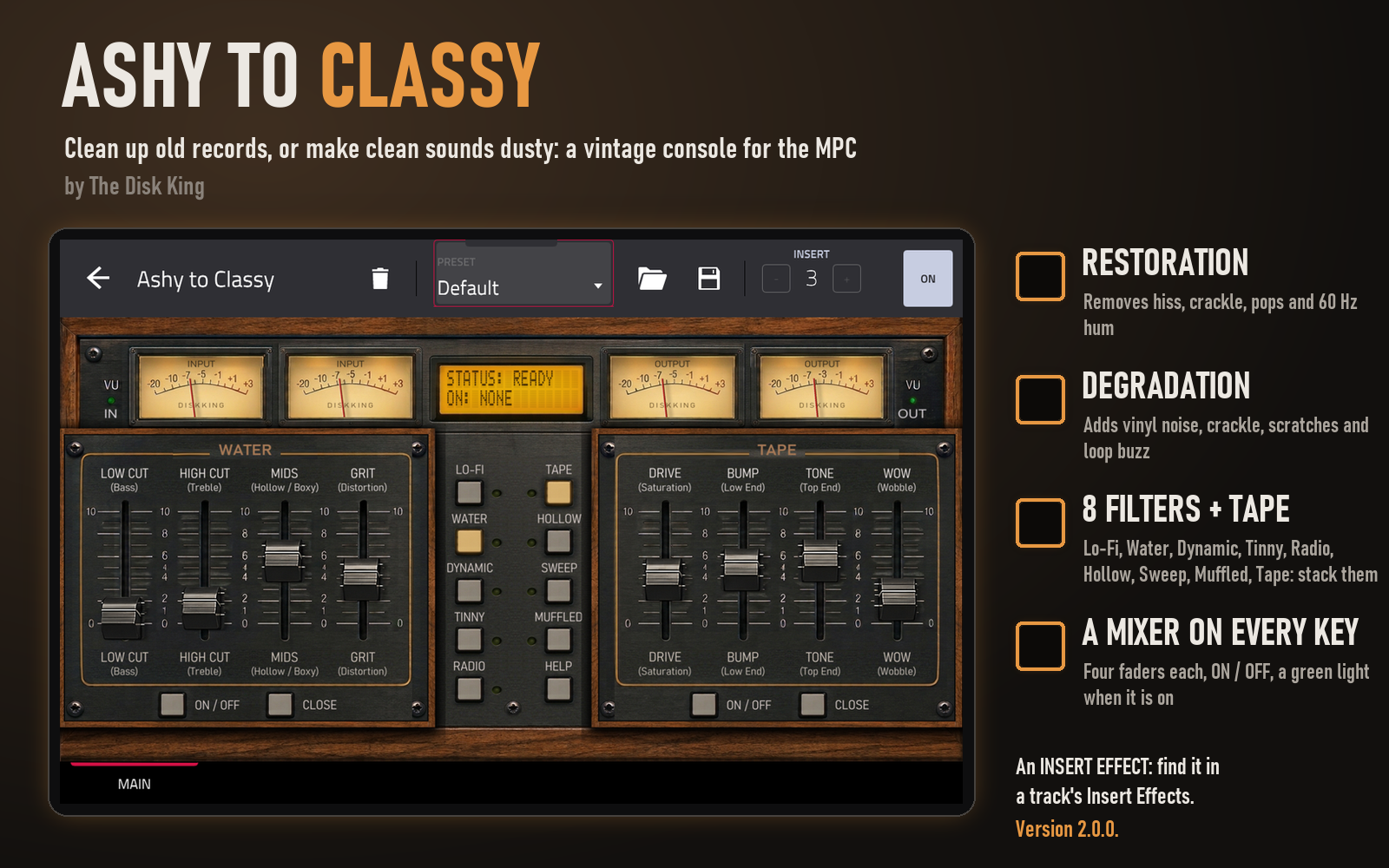
- **Ten keys in the middle:** LO-FI, WATER, DYNAMIC, TINNY, RADIO (left) and TAPE, HOLLOW, SWEEP, MUFFLED, HELP (right). Tap a key and its **mixer** opens over that side of the console: four faders, **ON / OFF** and **CLOSE**. A **green light** beside a key = that sound is on.
- **Eight filters:** LO-FI (telephone), WATER (underwater), DYNAMIC (opdkx 160 Compressor 1.0.0tag:mpcplugins.github.io,2026:dkx-160-compressor@1.0.02026-11-24T02:39:44ZThe Disk King**The Disk King's variation on the dbx 160 compressor/limiter (1976), for the MPC.**

- **Inspired by the dbx 160:** true-RMS detection with no attack or release knobs, just like the original. It follows the music by itself: about 15 ms for a 10 dB jump, 5 ms for 20 dB and 3 ms for 30 dB, and it lets go at about 120 dB a second. That is the 160's punch on kick, snare and bass.
- **THRESHOLD** in volts (10 mV to 3 V), **COMPRESSION** from 1:1 to infinity, *MIDI Transport 1.0.2tag:mpcplugins.github.io,2026:midi-transport@1.0.22026-11-24T01:56:28ZshhQuietAdds CPU benchmark results and a hardware test record for 1.0.2 on an original MPC X running MPC OS 3.10.1.12.
- Installed the ARMv7 package on MPCSSD and verified MIDI Learn for CCs and notes, default mapping modes, Momentary PLAY-START, and STOP on both Toggle transitions.
- Open MPC CPU benchmark: **PASS**, 0.4% worst-stage p99 and 3.5% worst block. Percentages are shares of the audio block budget. The test isolated network access so its MIDI input could not trigger the running MPC app.
- The SDK validator, native VST smoke test, and Open MPC package checker passed. The package checker flaMPC Template Chooser 1.0.2tag:mpcplugins.github.io,2026:mpc-template-chooser@1.0.22026-11-24T01:56:24ZshhQuietAdds CPU benchmark results and a hardware test record for 1.0.2 on an original MPC X running MPC OS 3.10.1.12.
- Installed the ARMv7 package on MPCSSD. After restarting the MPC app, **Local templates** appeared on the New Project screen and **Test TC** opened as a template.
- Turned off **Enable templates** and verified that it restored Demos and removed the startup hook. Turned it back on and verified that **Local templates** returned after restart.
- Open MPC CPU benchmark: **PASS**, 0.1% worst-stage p99 and 1.0% worst block. Percentages are shares of the audio block budget.
- The SDK validPlugin Manager App 2.1.0tag:mpcplugins.github.io,2026:plugin-manager-app@2.1.02026-11-24T01:41:05Zopen-mpcThe Open MPC Plugin Manager as an app: a Plugin Manager tile in MENU, full screen, and the web page on port 8790, without the plugin. MPC OS 3.10.1, Gen2 (MPC Live III, One G2, Key G2, XL).
Patches MPC while it loads (a library preloaded into MPC; it checks the exact MPC build first and changes nothing on any other). Install it from the Plugin Manager's add-ins list, which also installs Addin Restore so it comes back after a reboot.
Uninstalling and the file list are in `INSTALL.md` inside the zip.
---
Built by GitHub Actions from open-mpc/plugin-manager@4ec38fe with mpc-vst-plugins@97480b2Profit 5 3.0.1tag:mpcplugins.github.io,2026:profit-5@3.0.12026-11-24T00:44:51Zsd88meProfit-5 3.0.1: a MOD WHEEL on the screen.
**New**
- **MOD WHEEL:** a wheel under the oscillators (drag it up and down) and a Q-Link on the MOD SWITCHES page, so the Prophet's wheel-mod depth can be played without a keyboard that sends a mod wheel. It drives the same wheel-mod depth as MIDI CC1; the larger of the two wins. Like a real wheel it isn't stored with the sound.
- A smaller nameplate to make room.
Everything else is 3.0.0 (circuit models, BANKS page, Rev 4 voicing; see that release).
**Testing**
- Installed from the release zip and looked at on an MPC Live III (Gen2). **Not yet ruOmni Sampler 2.3.0tag:mpcplugins.github.io,2026:omni-sampler@2.3.02026-11-23T23:31:31ZB0ss-M## Omni Sampler 2.3.0
The first public release since 1.8.1. Projects made with 1.8 open unchanged (same plugin id and parameter order).
### New
- **Built-in SYNTH**: two oscillators (Classic, Wavetable, Sample or Macro) with up to 8 unison voices, warp modes (Bend, PWM, Mirror, Sync, FM), SUB and NOISE, FM / ring / feedback, LP / Ladder / BP / HP / Notch / Comb filters with drive and their own envelope, 4 LFOs (incl. drawn shapes), 3 mod envelopes, a 16-route matrix and 4 macros.
- **Synth presets play on it**: Xfer Serum 2, Vital, LUXONIX Purity and Heat Up 3 presets are translated onto theDiskking 670 Compressor 1.0.1tag:mpcplugins.github.io,2026:diskking-670-compressor@1.0.12026-11-23T22:51:37ZThe Disk King**New name: Diskking 670 Compressor.** The Disk King's variation on the Fairchild 670 tube limiter, for the MPC.

- **New name on the MPC:** Diskking 670 Compressor (1.0.0 showed it in all capitals). The sound, the panel and the 10 presets are the same as 1.0.0.
- **Updating from 1.0.0:** delete the old folder `The Disk King - VST - DISKKING 670 Compressor` from `VST2 Plugins` (or remove it in MPC Plugins Manager), then install this one. PutDiskking 670 Compressor 1.0.0tag:mpcplugins.github.io,2026:diskking-670-compressor@1.0.02026-11-23T22:38:54ZThe Disk King**The Disk King's variation on the Fairchild 670 tube limiter, for the MPC.**

- **A variable-mu tube limiter:** a very soft knee that limits harder the more you push it (about 2:1 near the threshold, 10:1 and more when pushed), with tube and transformer colour.
- **The real unit's controls:**
- INPUT GAIN in 1 dB clicks (10 = unity) and THRESHOLD (0 = no limiting);
- six TIME CONSTANT settings, from 0.3 s to 5 s; settings 5 and 6 followProfit 5 3.0.0tag:mpcplugins.github.io,2026:profit-5@3.0.02026-11-23T22:10:13Zsd88meProfit-5 3.0.0: a major release. Circuit-modelled from the Prophet-5 service manuals, with a BANKS page and a Rev 4 voicing.
**New**
- Circuit models (model 1, the default for new patches): Rev 2 SSM 2030 / 2040 / 2050 / 2020 and Rev 4's CEM 3320 filter, checked against the service-manual calibration steps and ngspice. Saved projects keep their 2.0.0 sound.
- Gen2 (Live III, aarch64) defaults to high quality (2x oversampling); Gen1 (Force, armv7) defaults to Eco.
- BANKS page: 8 banks per page, 30 programs per page (3 x 10), RANDOM, +FAV / -FAV; the Rev 4 factory banks and your own .syx / .h2Reel to Real 1.1.0tag:mpcplugins.github.io,2026:reel-to-real@1.1.02026-11-23T21:31:28ZThe Disk King**The counter follows your loop, full-screen deck, and a new HELP card.**

- **The counter follows your loop:** while the MPC sequence plays, the red counter shows the time from the start of the loop and goes back to 00:00.0 every time the loop starts over (a 4-bar loop at 90 BPM counts to 00:10.6, then resets). With only pads playing it shows tape time, as before.
- **Fills the whole MPC screen:** the deck is stretched evenly sideways, so there are no dark bars and nothingJamiro 1.1.2tag:mpcplugins.github.io,2026:jamiro@1.1.22026-11-23T19:25:34ZYan-1977Novation X-Station-style polysynth (KS engine): 3 oscillators, filter, 2 envelopes, 2 LFOs, arpeggiator, effects; loads your X-Station .syx banks.
## Requirements
- A first-generation MPC OS standalone device (32-bit ARM, like the Force, MPC Live / Live II, One, X and Key 61).
The installer refuses anything else. Newer models are untested.
- **Root shell access** (SSH) to the device. Stock MPC OS doesn't offer this; you need a modded unit.
- Tested on MPC OS with a Force. Installing plugins this way is unofficial: back up first, use at your own risk.
## Install (scripted)
1. Unzip, then Downrush 0.1.1tag:mpcplugins.github.io,2026:downrush@0.1.12026-11-23T19:06:12ZjamiefayeA fix release of Downrush, the Deluge synth engine for standalone Akai MPCs and the Force. Nothing about parameters or saved projects changes: projects saved with 0.1.0 load as before.
## Fixed
- **A project could come up with another project's sounds.** A track whose sound is carried in the project itself (as in a song converted from a Deluge, or any sound with variations) could, when a second such project was loaded in the same session, play the first project's sound. Restarting the MPC between projects avoided it.
- **Revert on such a sound went to a library preset.** It now goes back to tAMGR 0.2.5tag:mpcplugins.github.io,2026:amgr@0.2.52026-11-23T18:58:23ZsunskieferFactory presets now vary nearly every sound parameter per preset, with safety clamps so nothing is harmfully loud or silent. Grains travel in both directions and at varying speeds by default. New CPU-safety governor (density scales down under load and recovers), grain-stealing when a layer's grain pool is full, and capped release-stage voices under pressure. Brighter knob art. Tested on an Akai Force (MPC OS 3.9.1). Install: unzip and run install.sh on the device. License: PolyForm Noncommercial 1.0.0.Reel to Real 1.0.0tag:mpcplugins.github.io,2026:reel-to-real@1.0.02026-11-23T18:21:47ZThe Disk King**First release.** A reel-to-reel tape machine for the MPC, with reels that really turn.

- **Tape sound:** TAPE SATURATION (calibrated tape up to hot and crushed, the highs squashing first like real tape), WARMTH, WOW & FLUTTER (a good deck up to a worn, seasick machine), TAPE SPEED 3.75 / 7.5 / 15 / 30 ips (lo-fi, warm, the classic low-end bump, tight and clean), NAB / IEC tape EQ, and tape HISS.
- **The deck moves:** both reels turn counter-clockwise at the real speed for the Audity 78 0.2.0tag:mpcplugins.github.io,2026:audity-78@0.2.02026-11-23T09:09:09ZLuminous-Works## Audity '78 0.2.0
**Not tested on a real MPC yet.** Checked with the SDK validator (0 errors, 0 warnings), `catalog_check.py` (OK) and the SDK host simulator (0.1.0 build; the plugin binaries are unchanged).
- New touch-screen skin: the blue L.A. panel, six pages, original artwork. The 0.1.0 screen was the SDK's placeholder.
- Fixes the installer scripts: the 0.1.0 zips had CRLF line endings in `install.sh` / `plugin_list.awk`, which stops the plugin registering on the device.
- Zips now include `LICENSE` and `THIRD_PARTY_NOTICES.md` (MPC SDK MIT notice).
- Plugin binaries are byte-identicWarm Front Compressor 1.0.0tag:mpcplugins.github.io,2026:warm-front-compressor@1.0.02026-11-23T03:35:47ZThe Disk King**First release.** A vintage analog-style stereo compressor for the MPC, with 27 presets.

- **Three styles:** CLASSIC (1980s console bus glue with AUTO release), VINTAGE (smooth opto/tube-style warmth), MODERN (clean and fast, with look-ahead).
- **THRESHOLD, RATIO, ATTACK, RELEASE (with AUTO), MAKEUP GAIN and KNEE** knobs, LINK, and a SIDECHAIN FILTER so bass does not make it pump.
- **INPUT / OUTPUT VU meters in real dB** (METER GR shows gain reductiNepenthe 1.0.2tag:mpcplugins.github.io,2026:nepenthe@1.0.22026-11-23T03:04:23Zbiloo77-cellPublished under the author's name: the plugin's maker is now **ikloX**, so its folder is `ikloX - VST - Nepenthe`
(it was `OpenMPC - VST - Nepenthe`). No DSP change — the reverb is identical to 1.0.1.
- `install.sh` removes the old folder for you. If you copied the folder by hand, delete the old one so the plugin is not listed twice.
- The plugin's uid is unchanged, so saved projects keep their instances (checked on an MPC Live).
- The skin carries a small author's mark in the bottom-left corner.
Device: MPC Live (Gen1), MPC OS 3.10.1, 2026-11-23 — installed, listed, loaded as an insert, exiREV 246 1.0.1tag:mpcplugins.github.io,2026:rev-246@1.0.12026-11-23T03:04:21Zbiloo77-cellPublished under the author's name: the plugin's maker is now **ikloX**, so its folder is `ikloX - VST - REV-246`
(it was `OpenMPC - VST - REV-246`). No DSP change — the reverb is identical to 1.0.0.
- `install.sh` removes the old folder for you. If you copied the folder by hand, delete the old one so the plugin is not listed twice.
- The plugin's uid is unchanged, so saved projects keep their instances (checked on an MPC Live).
- Skin: a small author's mark in the bottom-left corner, and the two missing screws on the right of the REVERB page
(upstream's panel art is cropped before them, so Costello Reverb 1.0.2tag:mpcplugins.github.io,2026:costello-reverb@1.0.22026-11-23T03:04:15Zbiloo77-cellPublished under the author's name: the plugin's maker is now **ikloX**, so its folder is `ikloX - VST - Costello Reverb`
(it was `OpenMPC - VST - Costello Reverb`). The reverb itself is unchanged — the binary's DSP is identical to 1.0.1.
- `install.sh` removes the old folder for you. If you copied the folder by hand, delete the old one so the plugin is not listed twice.
- The plugin's uid is unchanged, so saved projects keep their instances (checked on an MPC Live).
- The skin carries a small author's mark in the bottom-left corner.
Device: MPC Live (Gen1), MPC OS 3.10.1, 2026-11-23 — instalWarpline 1.2.0tag:mpcplugins.github.io,2026:warpline@1.2.02026-11-22T23:43:56ZCLVRK3Warpline 1.2.0 for standalone MPC (MPC OS 3.x). Tested on an MPC Live III (Gen2), MPC OS 3.10.1.
**New**
- Wavetable picker on each oscillator (Basic Shapes, Sine, Triangle, Saw, Square, PWM, Harmonics, Formant, Sync, or the patch's own), with a big tap-to-pick menu. Init now starts on Basic Shapes.
- Arpeggiator: CHANCE, DEJA VU and LOOP for generative patterns.
- Mod matrix: GEN 1 and GEN 2 random sources (rate, spread, bias, steps, deja vu, length) on a new GEN page.
- 60 new factory patches in rage / dark trap, EDM and R&B styles (360 in all).
- GENRE menu to filter the patch listsVHS Vibes 1.8.0tag:mpcplugins.github.io,2026:vhs-vibes@1.8.02026-11-22T21:49:44Zanthonytheinventor**VHS VIBES 1.8.0** — the tape remembers.
A VHS tape degradation effect for Akai MPC standalone hardware: pitch wobble, tape saturation, the Hi-Fi track, generation loss, noise reduction, hum, hiss, crackle, deck faults and a dry/wet mix, on a hot pink cassette with reels that turn.
## the tape remembers
A new switch, **Hysteresis** (DECK page, LINEAR block), there while Sat Type is VHS. On, the linear track records the way tape records: magnetic particles under a bias signal, each one keeping a little of what came before.
**Bias** becomes a real bias control, from a quarter of the right aNepenthe 1.0.1tag:mpcplugins.github.io,2026:nepenthe@1.0.12026-11-22T21:37:29Zbiloo77-cellNepenthe 1.0.1: Amalgamated Signals' velvet-noise reverb (https://amalgamatedsignals.com/nepenthe) as an MPC OS insert effect.
Upstream's six controls and slider look, six Q-Links: TIME, DELAY, BASS, TREBLE, WIDTH, MIX. The reverb is upstream's code; its inner loops are rewritten in NEON and checked bit-identical to the original.
- `Nepenthe-1.0.1-mpc-armv7.zip`: Gen1 (Live, Live II, One, X, Key 61/37, Force). Tested on an MPC Live, MPC OS 3.10.1. CPU: mean 10.0 %, p99 10.8 % of an audio block while playing; p99 16.0 % while Q-Links sweep every parameter (WARN: each TIME change recomputes thGeonkick MPC 1.0.0tag:mpcplugins.github.io,2026:geonkick-mpc@1.0.02026-11-22T21:30:01Z303inmyheartFirst public release of **Geonkick MPC 1.0** for Gen2 MPCs. Hardware tested on **MPC Live III / MPC OS 3.10.1** only.
- 16 pad sounds, three layers and nine oscillators per sound; synth waves, noise, FM and WAV import.
- 2–16 editable amplitude/pitch points over the waveform; final Envelope view correctly follows the selected layer.
- 118 native MPC programs, including the original factory presets/kits with retained credits and licences.
- Tap-to-preview browser, remembered folder, separate sample Load, fine hardware input and continuous touch controls.
- Native MPC interface, rotary Q-Link mAshy to Classy 1.2.1tag:mpcplugins.github.io,2026:ashy-to-classy@1.2.12026-11-22T19:28:22ZThe Disk King**Cleaner panels.** A small look update to 1.2.

- **No more orange Q-Link box** drawn over the RESTORATION and DEGRADATION panels. The Q-Link knobs still work the same (top row = Restoration faders, second row = Degradation faders).
- **The selected-fader outline is now very faint** (10% opacity), so it no longer covers the art.
- Everything else is the same as 1.2.0: four IN / OUT meters in real dB, the 16 x 2 amber LCD, HELP, record and export. Your 1.0 and 1.2 proAshy to Classy 1.2.0tag:mpcplugins.github.io,2026:ashy-to-classy@1.2.02026-11-22T19:19:50ZThe Disk King**New look and four meters.** A fresh console with **IN** and **OUT** meter pairs, so you can see exactly what the effects do to your level.

- **Four VU meters in real dB:** the **IN** pair shows the sound coming in (before the effects), and the **OUT** pair shows it going out (after). Use them to match levels, then compare with BYPASS at the same loudness. The IN and OUT lights show when sound is coming in and going out.
- **New artwork:** a wider console with IN / OUCostello Reverb 1.0.1tag:mpcplugins.github.io,2026:costello-reverb@1.0.12026-11-22T19:13:57Zbiloo77-cellCostello Reverb 1.0.1: installer fix. The reverb itself is unchanged from 1.0.0 (same `costello_reverb.so`).
- `install.sh` now finds the right folder by itself: on MPC OS 3.10.1 and later it installs into `<drive>/VST2 Plugins` (Gen1 internal drive: `/sdcard/VST2 Plugins`), where the plugin browser looks, and an existing copy there is updated in place. 1.0.0's installer used `/sdcard/Synths` unless given `-t`, which the 3.10.1 browser does not list.
- Tested on an MPC Live (Gen1), MPC OS 3.10.1: `install.sh` without options installed into `/sdcard/VST2 Plugins` and the plugin is listed.
## VARIANT 0.1.2tag:mpcplugins.github.io,2026:variant@0.1.22026-11-22T18:26:40ZsunskieferDual generative 8-step MIDI sequencer for Akai Force / MPC OS (VST2, ARMv7). Tested on a Force. Licence: PolyForm Noncommercial 1.0.0. See CHANGELOG.md and docs/USER_GUIDE.md.REV 246 1.0.0tag:mpcplugins.github.io,2026:rev-246@1.0.02026-11-22T18:26:26Zbiloo77-cellREV-246 1.0.0: [REV-246](https://github.com/tehguitarist/REV-246) by tehguitarist, a vintage digital reverb in the spirit of a mid-80s studio unit, as an MPC OS insert effect.
- Upstream's engine: programmes S / M / L / E / N, the six levers, 16-bit storage with analogue hiss, XFMR, ducker, width. 70 factory presets in MPC's PRESET menu.
- MODE: **TRUE ST** (default: one engine per input side, the dry keeps its channels) or **ORIGINAL L+R > ST** (upstream's mono-in path, half the CPU).
- OVL lights at 0 dBFS. Two pages (REVERB, SETUP), everything on Q-Links.
## Downloads
- `REV-246-1.0.0-mpcCostello Reverb 1.0.0tag:mpcplugins.github.io,2026:costello-reverb@1.0.02026-11-22T18:18:39Zbiloo77-cellCostello Reverb 1.0.0: the Costello reverb (Soundpipe revsc, as wrapped by AudioKit's SoundpipeAudioKit) as an MPC OS insert effect.
Five Q-Links: LOW CUT, HIGH CUT, VERB SIZE, MIX, OUTPUT. Seven presets.
- `Costello-Reverb-1.0.0-mpc-armv7.zip`: Gen1 (Live, Live II, One, X, Key 61/37, Force). Tested on an MPC Live, MPC OS 3.10.1. CPU: p99 5.0 % of an audio block, PASS.
- `Costello-Reverb-1.0.0-mpc-aarch64.zip`: Gen2. Built and host-tested only, not yet run on a Gen2 device.
## Requirements
- An MPC OS standalone device: Gen1 (armv7) or Gen2 (aarch64), pick the matching zip.
- MPC OS 3.10.1 Ashy to Classy 1.0.0tag:mpcplugins.github.io,2026:ashy-to-classy@1.0.02026-11-22T16:52:25ZThe Disk King**First release.** A vintage console for the MPC: clean up old records, or make clean sounds dusty.

**It is an EFFECT: find it in Insert Effects.** It is not in the Plugin track list. Open the Mixer (or a track's Insert Effects), tap an empty Insert slot and choose External Plugins → The Disk King → Ashy to Classy. Then **hit the pad the sample is on** to hear it with the effects: the plugin only runs while sound plays through it. Tap HELP on the console any time.
- **Res