Ashy to Classy updates | MPC Plugins Managerhttps://mpcplugins.github.io/feed/ashy-to-classy.xml2026-11-25T01:32:04ZMPC Plugins ManagerAshy to Classy 2.0.0tag:mpcplugins.github.io,2026:ashy-to-classy@2.0.02026-11-24T06:01:38ZThe Disk King**Ten new keys, each with its own mixer: eight filters and a real analog TAPE. New INPUT / OUTPUT meters with DISKKING.**
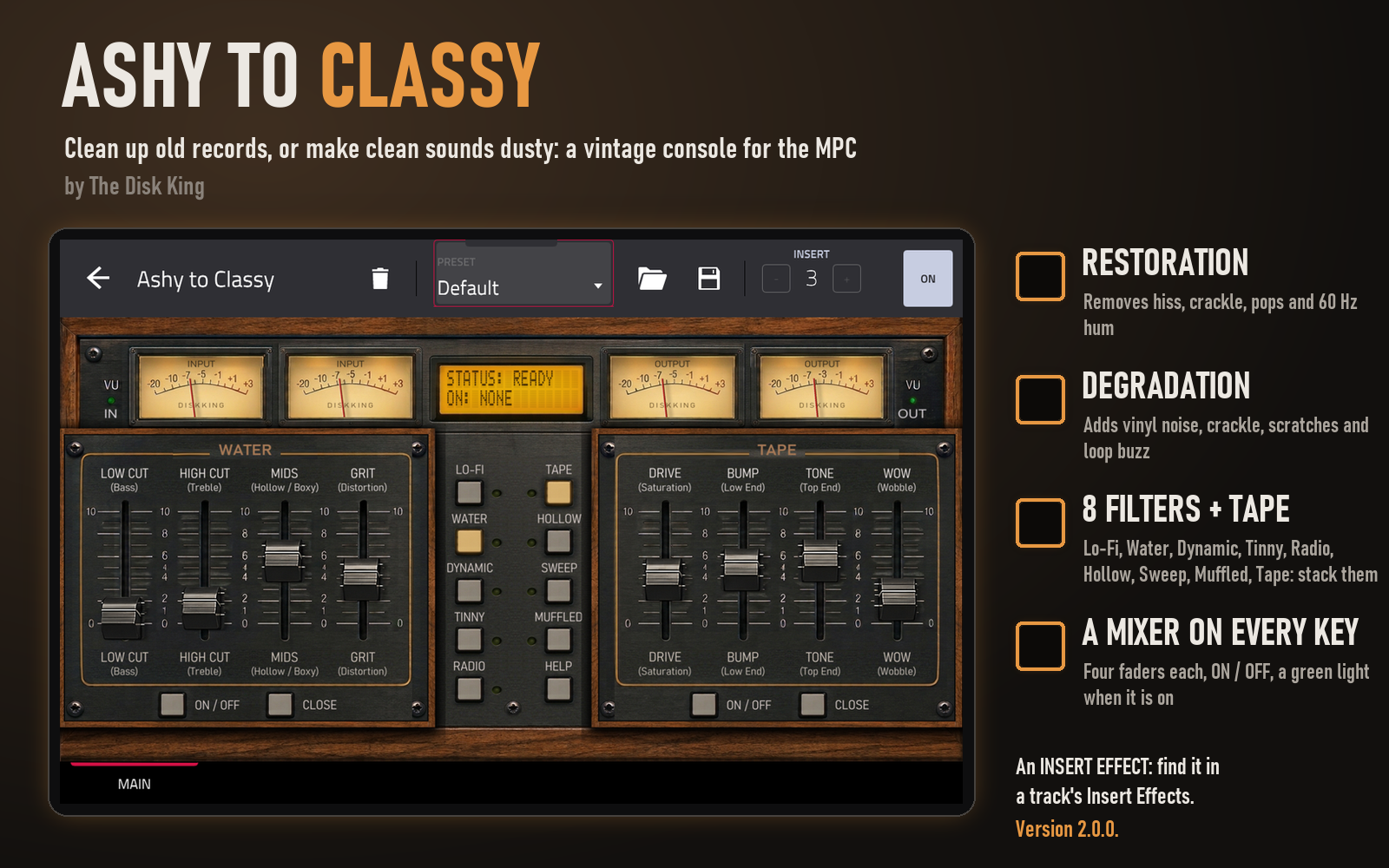
- **Ten keys in the middle:** LO-FI, WATER, DYNAMIC, TINNY, RADIO (left) and TAPE, HOLLOW, SWEEP, MUFFLED, HELP (right). Tap a key and its **mixer** opens over that side of the console: four faders, **ON / OFF** and **CLOSE**. A **green light** beside a key = that sound is on.
- **Eight filters:** LO-FI (telephone), WATER (underwater), DYNAMIC (opAshy to Classy 1.2.1tag:mpcplugins.github.io,2026:ashy-to-classy@1.2.12026-11-22T19:28:22ZThe Disk King**Cleaner panels.** A small look update to 1.2.

- **No more orange Q-Link box** drawn over the RESTORATION and DEGRADATION panels. The Q-Link knobs still work the same (top row = Restoration faders, second row = Degradation faders).
- **The selected-fader outline is now very faint** (10% opacity), so it no longer covers the art.
- Everything else is the same as 1.2.0: four IN / OUT meters in real dB, the 16 x 2 amber LCD, HELP, record and export. Your 1.0 and 1.2 proAshy to Classy 1.2.0tag:mpcplugins.github.io,2026:ashy-to-classy@1.2.02026-11-22T19:19:50ZThe Disk King**New look and four meters.** A fresh console with **IN** and **OUT** meter pairs, so you can see exactly what the effects do to your level.

- **Four VU meters in real dB:** the **IN** pair shows the sound coming in (before the effects), and the **OUT** pair shows it going out (after). Use them to match levels, then compare with BYPASS at the same loudness. The IN and OUT lights show when sound is coming in and going out.
- **New artwork:** a wider console with IN / OUAshy to Classy 1.0.0tag:mpcplugins.github.io,2026:ashy-to-classy@1.0.02026-11-22T16:52:25ZThe Disk King**First release.** A vintage console for the MPC: clean up old records, or make clean sounds dusty.

**It is an EFFECT: find it in Insert Effects.** It is not in the Plugin track list. Open the Mixer (or a track's Insert Effects), tap an empty Insert slot and choose External Plugins → The Disk King → Ashy to Classy. Then **hit the pad the sample is on** to hear it with the effects: the plugin only runs while sound plays through it. Tap HELP on the console any time.
- **Res